
Description
From the designation of the zone to its monitoring
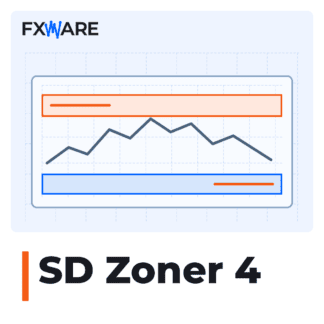
SD Zoner 4 brings together tools for working with supply and demand zones in the chart panel. You can either select a candlestick manually or run an automatic search, and then customise the boundaries, colours and labels to suit your analysis.
Draw by hand or run the Wizard
In manual mode, select the zone type and click on the candle. The panel displays the zones DE, D2, SU, S2 i ZC and the pivot line PV.
The wizard searches for zones within the current interval or across multiple specified intervals simultaneously. You can later edit the zones you have created, change their colours or delete them.
Enter the required information on the chart
- Hide the zones from the lower intervals when analysing the broader context.
- Display the zone interval, its altitude and the boundary prices.
- Expand additional RR or Fibonacci levels by clicking on the label.
- Enable and manage alerts for specific zones using a single switch
A+ / A-.
Notifications may appear on the terminal, on a mobile device or via email. The mobile and email channels require prior configuration in MetaTrader.
Create a chart step by step
- Select the intervals you want the Wizard to take into account, and run the zone search.
- Edit the selected areas manually, and delete or hide any unnecessary ones.
- Enable alerts for the zones you want to monitor.
- Save the settings as a file
.setor a chart template to reuse the configuration.
Requirements and optional integration
The licence covers MT4 and MT5. To get started, you will need a valid licence and a file FXW_SD_ZONER.key and the option enabled Enable DLL import.
SD Zoner 4 operates independently. Optional labels B i S They allow you to transfer a prepared buy or sell order to FX Harvest PRO 7.3 or a later version, running on the same chart. SD Zoner itself does not place orders.